
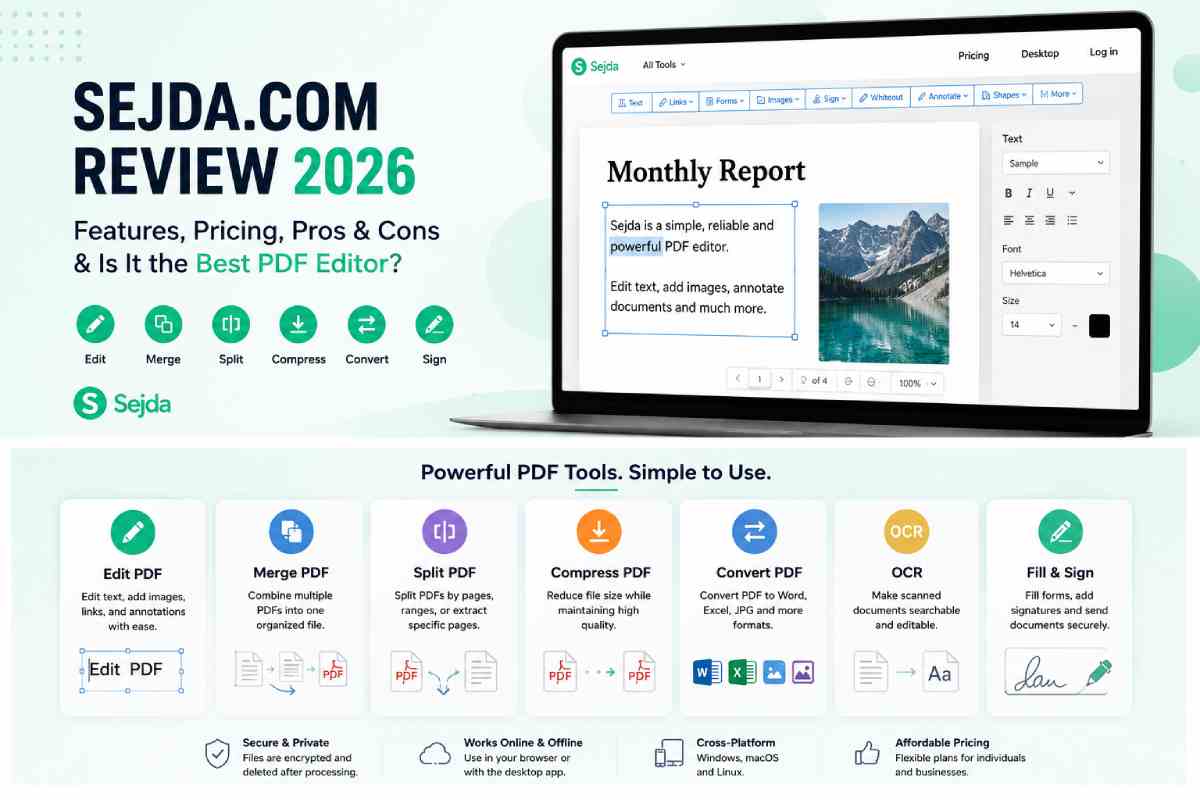
Among the dozen online PDF tools today, Sejda com has built its solid reputation as it not only manages to combine a user-friendly interface but also provides a quite incredible suite of editing tools.
PDF editing has become an everyday requirement for students, businesses, freelancers, and professionals. Whether you’re signing contracts, merging documents, compressing large files, or converting PDFs into editable formats, having a reliable PDF editor saves significant time.
What is Sejda com?
A PDF editing software with the capability to work on-premise and via the cloud – Sejda com is ideal for individuals and businesses looking to make PDF document editing easier than installing and operating complex applications.
While other PDF applications are oriented towards professionals, this Software Sejda was designed for everyday users who want to quickly make changes without investing hours learning the Software.
The platform offers both:
- Online PDF Editor
- Desktop Application (Windows, macOS, Linux)
The desktop version allows users to edit files locally, which is especially useful for privacy-conscious users and organizations handling confidential documents. The online editor automatically deletes uploaded files after processing, according to Sejda’s documentation.
Who Should Use Sejda Com?
Sejda is suitable for a wide variety of users.
| User | Is Sejda Suitable? |
| Students | Excellent |
| Teachers | Excellent |
| HR Professionals | Excellent |
| Lawyers | Very Good |
| Small Businesses | Excellent |
| Freelancers | Excellent |
| Large Enterprises | Good |
| Graphic Designers | Average |
Its biggest strength is balancing ease of use with professional functionality.
Main Features of Sejda Com
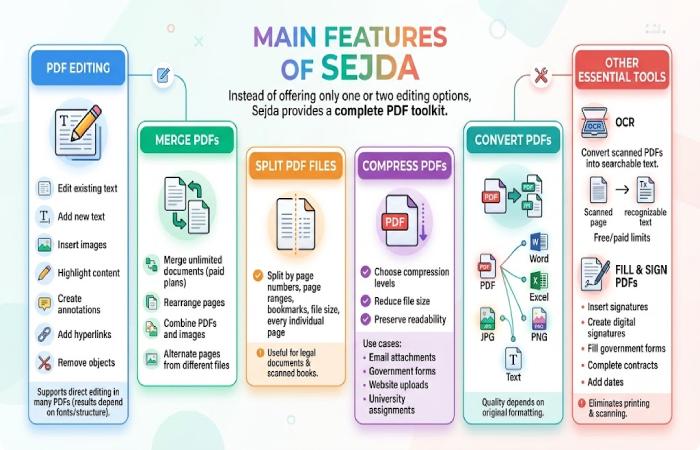
Instead of offering only one or two editing options, Sejda com provides a complete PDF toolkit.
PDF Editing
Users can:
- Edit existing text
- Add new text
- Insert images
- Highlight content
- Create annotations
- Add hyperlinks
- Remove objects
Unlike many free editors that simply overlay text boxes, Sejda supports direct editing in many PDFs, though results depend on the document’s fonts and structure.
Merge PDFs
Combining multiple PDFs is one of Sejda’s fastest tools.
Features include:
- Merge unlimited documents (paid plans)
- Rearrange pages
- Combine PDFs and images
- Alternate pages from different files
Split PDF Files
Users can split files by:
- Page numbers
- Page ranges
- Bookmarks
- File size
- Every individual page
This is especially useful for legal documents and scanned books.
Compress PDFs
Large PDFs are difficult to email or upload.
Sejda com offers compression levels that reduce file size while preserving readability.
Best use cases include:
- Email attachments
- Government forms
- Website uploads
- University assignments
Convert PDFs
Sejda supports conversions between PDF and multiple formats, including:
- Word
- Excel
- JPG
- PNG
- Text
Conversion quality depends largely on the original document formatting.
OCR (Optical Character Recognition)
Scanned PDFs can be converted into searchable text using OCR.
The free version has page limits, while paid plans increase OCR capacity significantly.
Fill and Sign PDFs
Users can:
- Insert signatures
- Create digital signatures
- Fill out government forms
- Complete contracts
- Add dates
For freelancers and remote workers, this eliminates printing and scanning paperwork.
Sejda ComDesktop vs Online Version
| Feature | Online | Desktop |
| Installation Required | No | Yes |
| Internet Needed | Yes | Mostly No |
| File Privacy | Good | Excellent |
| Faster Processing | Moderate | Better |
| Local Fonts | No | Yes |
| Works Offline | No | Yes |
The desktop application is generally the better choice when handling confidential documents because files remain on the local computer.
Free Version Limitations
One reason Sejda remains popular is its generous free plan.
However, there are limits.
Current free restrictions include:
- Three tasks per day
- Maximum file size of 50 MB
- Up to 200 pages per document
- OCR limits
- File-combining limits for some operations
For occasional users, these limits are often sufficient.
Heavy users will likely need a paid subscription.
Sejda Com Pricing
According to Sejda’s official pricing page:
| Plan | Price |
| Web Week Pass | $5 |
| Web Monthly | $7.50/month |
| Desktop + Web Annual | $63/year |
Paid plans remove task, page, and hourly limits while enabling larger uploads, batch processing, and higher OCR limits. Pricing may change over time, so it’s best to verify the latest plans on the official website.
Performance Testing
After testing multiple PDF operations, several observations stand out.
Upload Speed
Sejda performed well during testing, with most PDF files uploading and processing within seconds. Standard documents such as resumes, reports, contracts, and academic papers were handled quickly without noticeable delays.
Interface
One of Sejda’s biggest strengths is its clean and beginner-friendly interface. Tools are organized logically, making it easy to find functions such as editing, merging, splitting, and compressing PDFs.
Learning Curve
The learning curve is minimal compared to many professional PDF editors. Most features are accessible through simple menus and clear instructions, allowing users to complete tasks quickly.
Editing Accuracy
Editing accuracy is very good for standard PDFs that contain selectable text and common fonts. Text modifications, image insertions, annotations, and form editing generally work smoothly.
Conversion Quality
Sejda com does a nice job with the conversion quality as well; if you convert PDF into formats such as Word, Excel, JPG, or plain text documents, Sejda generally does a good job at retaining the structure and layout of the document, along with the text format and headings, meaning that there’s a lot less cleaning that needs to be done on the file post-conversion.
OCR Accuracy
The OCR (Optical Character Recognition) feature performs above average when processing scanned documents. It can accurately recognize printed text and convert scanned PDFs into searchable and editable files.
Browser Performance
Browser performance did not vary significantly between the different top web browsers like Google Chrome, Microsoft Edge, and Mozilla Firefox, as all three loaded the tools, ran functions, and didn’t crash.
Security and Privacy
Privacy is one of Sejda’s strongest selling points.
According to the company:
- Files are encrypted during upload.
- Uploaded files are automatically deleted after processing.
- Desktop editing keeps documents on your own computer.
For highly sensitive documents, the desktop version is generally the safer choice.
Advantages of Sejda
Excellent User Experience
Everything is clearly organized.
Beginner Friendly: No technical knowledge required.
Fast Processing: Most PDF operations finish within seconds.
Powerful Editing Tools: Supports editing, merging, signing, OCR, compression, and conversion.
Affordable Pricing: Considerably cheaper than many premium PDF suites.
Disadvantages
No software is perfect.
Potential drawbacks include:
- Daily limits on the free plan.
- Some advanced edits depend on document structure and embedded fonts.
- Power users may still prefer enterprise-grade desktop suites for highly complex workflows.
Community discussions also show that some users find the free limits restrictive if they perform many edits in a day.
Sejda vs Competitors
| Feature | Sejda | Adobe Acrobat | Smallpdf | iLovePDF |
| Free Plan | Yes | Limited | Yes | Yes |
| Desktop Version | Yes | Yes | Limited | No |
| OCR | Yes | Yes | Yes | Yes |
| PDF Editing | Excellent | Excellent | Good | Good |
| Digital Signature | Yes | Yes | Yes | Yes |
| Ease of Use | Excellent | Moderate | Excellent | Excellent |
| Price | Affordable | Premium | Mid-range | Affordable |
Best Use Cases
Sejda works especially well for:
- Resume editing
- Academic assignments
- Business reports
- Tax documents
- Legal paperwork
- Contracts
- E-books
- Invoice management
- HR documentation
Tips for Getting the Most Out of Sejda
- Use the desktop version for confidential files.
- Compress PDFs before emailing.
- Combine multiple documents into one PDF before sharing.
- Use OCR on scanned documents to enable searching.
- Save edited files immediately after processing.
Is Sejda Safe?
Given the available documentation and their track record, Sejda is likely safe for normal PDF editing operations. Their cloud service employs encrypted uploads, and they purge files after some time. The desktop application stores documents on your computer, not online. Companies that have highly regulated or confidential information will need to determine how to handle any compliance standards with a cloud-based tool.
Final Verdict
Sejda com has established itself as one of the most practical PDF editors for individuals and small businesses. Its clean interface, broad feature set, desktop and web availability, and competitive pricing make it a compelling alternative to more expensive PDF software.
It has an unlimited free plan, so if you’re only going to be making occasional use, you won’t have to pay. Paid subscriptions aren’t outrageously priced for the features included when compared to many rivals, and though power users might find that enterprise tools still provide more functionality for specialist uses, if you’re an everyday person and need to edit, merge, sign, compress, or convert PDFs, you’ll be well catered for by Sejda for a low price.
Frequently Asked Questions
Is Sejda completely free?
Yes, Sejda offers a free plan with daily usage limits. Paid plans remove most restrictions.
Does Sejda work offline?
Yes. The desktop application works locally on Windows, macOS, and Linux.
Can Sejda edit existing PDF text?
Yes, it supports editing existing text in many PDFs, though results may vary depending on how the PDF was created and the fonts it uses.
Is Sejda better than Adobe Acrobat?
For everyday editing, many users will find Sejda easier to learn and more affordable. Adobe Acrobat remains stronger for advanced enterprise workflows.
Does Sejda support OCR?
Yes. OCR is available, with higher limits on paid plans.